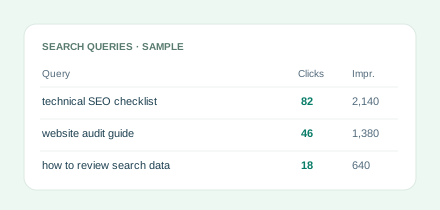
DISCOVER
Understand your queries
See searches where your site already appears, then explore the pages behind them.
Explore query reports →JUST LAUNCHED YOUR WEBSITE?
We’ll help you check your website, set up Google’s search reporting and understand what to do next. No technical knowledge needed.
New here or unsure where to begin? Start with this check. No Google sign-in needed.
Already use Google Search Console for your website?
Connect with GoogleConnected reporting: three-day browser trial · No card required
Read-only accessConnect your Search Console account.
Clear period comparisonsSee what changed in your reports.
Your data, your controlDisconnect through Settings.
LESS GUESSWORK. MORE CLARITY.
Start with the evidence. Investigate the opportunities that matter to your website.
DISCOVER
See searches where your site already appears, then explore the pages behind them.
Explore query reports →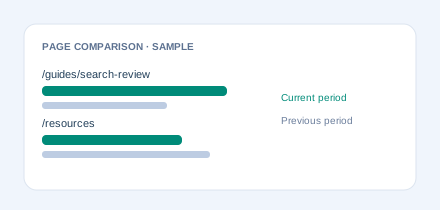
COMPARE
Compare clicks, impressions, CTR and position to decide where to look closer.
See report examples →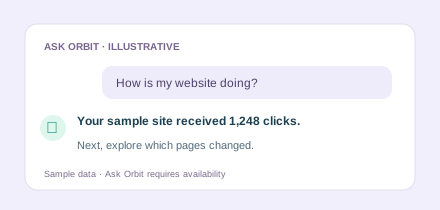
EXPLORE
Use the sample below to try a conversation. Ask Orbit is available in the app when enabled.
Try the sample →BUILD YOUR SEO TOOLKIT
Find places to investigate, then check their relevance and current submission rules.
Browse sources, filter by type and find providers with reviewed free entry routes. Inclusion and links are never guaranteed.
Find backlink opportunities →Explore Canadian listing options and assess which ones fit your business, location and audience.
Explore Canadian sources →TRY THE SAMPLE
Choose a question to see how the answer changes. This is a fixed example, not a live connection.
 Maple OrbitSAMPLE DATA
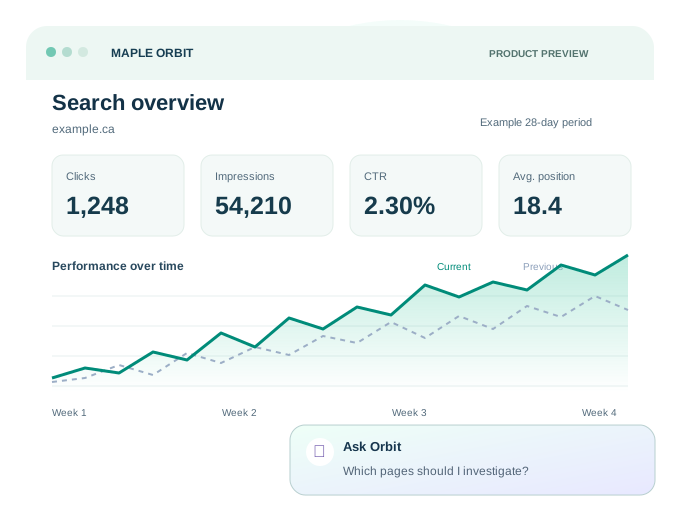
It appeared in search results 54,210 times over this example 28-day period. That gives it a click-through rate of 2.30%.
Your next question could explore which pages attracted those visits.
GETTING CONNECTED
New to Search Console? Start with Check my website and follow the setup guidance. If you already have access to your website in Search Console, continue with Google. The browser app uses Google sign-in. The ChatGPT connector is a separate invited pilot; its public listing is still being prepared.
Read the browser setup guide →Sign in and approve read-only Search Console access. No developer credentials or connector installation required.
Choose from the Search Console properties your account can access.
Use the browser dashboard for charts and tables. Ask Orbit is optional and available when enabled; it uses your selected report context.
BEFORE YOU TRY IT
It reads your site’s search performance. It isn’t a database of every keyword people search for. Country and device breakdowns describe your property’s results.
Reports have limits. Web search only, up to 93 days and 1,000 top rows per request. Some queries are omitted, so a missing row isn’t zero traffic.
It won’t edit your site. Maple Orbit retrieves data. It doesn’t publish articles or access sales figures. The browser checklist can inspect selected URLs using Google’s stored index status. See the full scope.
Yes—for searches where your own website already appears. Ask for query-and-page rows to explore relevant terms, question-shaped searches and existing landing pages. These figures aren’t market-wide search volumes.
Ask for the same query breakdown for two equal periods, then compare matching rows. Check impressions, CTR and position too. Maple Orbit’s bounded reports may omit terms, so the shortlist won’t cover every search.
Yes. MCP is the connection that lets a compatible assistant call Maple Orbit’s reporting tools. The current pilot is tested in ChatGPT. Claude support hasn’t been verified. Read the technical and connection details.
The browser trial starts after a successful Google connection. No card is collected and there’s no automatic charge. Paid subscriptions aren’t available yet; any future price will be stated before purchase.
Open Settings in the browser app to disconnect Google or remove saved browser data. For the connector, ask Maple Orbit in ChatGPT to disconnect. You can also revoke access in your Google Account. See the disconnection steps.
A NOTE FROM VISHAL
The goal is simple: make your search reports useful when you’re deciding what to work on. Try the browser app with your own website and tell us where the reports help—and where they need work. The connector remains available through the invited pilot.
Vishal · Maple Orbit
Operated by Vamoson Inc.
YOUR ACCOUNT, YOUR PREFERENCES
Choose dates and CSV formats that work with your spreadsheets, set your default country and device, and keep position 1 at the top of the chart. Your preferences follow your browser account.
Need a hand? The support assistant searches our setup and report guides without reading your account data. Explore account settings → · Check integration availability →